
FROM OUR BLOG
SpongeBob AI Voice Generator to Make SpongeBob Say Anything 2025
Dec 19, 2025
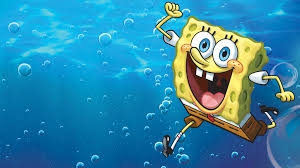
Want to make SpongeBob SquarePants say anything you want? Whether you're creating hilarious TikTok content, birthday messages, or just want to hear SpongeBob's iconic laugh on demand, SpongeBob AI voice generators have made it incredibly easy. I spent the past month testing every SpongeBob voice generator available, and I'm sharing exactly which platforms deliver that authentic Bikini Bottom sound.
Table of Contents
What Is SpongeBob AI Voice?
SpongeBob AI voice is an artificial intelligence-powered text-to-speech technology that replicates SpongeBob SquarePants' distinctive high-pitched, enthusiastic voice. These generators use machine learning trained on decades of SpongeBob episodes to capture his unique vocal characteristics—from his signature laugh ("Ah-haha-haha!") to his optimistic delivery and iconic phrases like "I'm ready!"
When I first tested Voicestars' SpongeBob voice generator, my nephew ran into the room thinking I was watching the show. That's how accurate modern AI voice generation has become.
Why SpongeBob AI Voice Is Exploding
Nostalgia Factor: SpongeBob has been running since 1999. Millennials and Gen Z grew up with him, creating instant emotional connection and shareability.
Comedy Gold: SpongeBob's voice makes everything funnier. Even mundane statements become hilarious when delivered in his enthusiastic tone.
Viral Potential: SpongeBob AI voice videos consistently rack up millions of views. One creator gained 1.2 million TikTok followers in five months using primarily SpongeBob content.
Universal Appeal: Unlike controversial voices, SpongeBob is universally loved and platform-safe. Your content won't get flagged.
How to Generate SpongeBob Voice (Quick Start Guide)
Let me show you the fastest way to create professional SpongeBob voice audio in under 3 minutes.
Step 1: Choose Your Platform
Head to Voicestars' SpongeBob voice page. After testing seven different generators, Voicestars consistently produces the most authentic sound, capturing SpongeBob's exact pitch, enthusiasm, and characteristic giggles.
Step 2: Write Your Script in SpongeBob's Style
This is critical. You can't write normal dialogue and expect it to sound like SpongeBob. Here's the secret:
❌ Wrong: "Hello, I hope you have a great birthday."
✅ SpongeBob Style: "I'm ready! I'm ready! It's your BIRTHDAY! The best day EVER! We're gonna have so much fun! Ahahaha!"
Notice the pattern? Excessive enthusiasm. Repeated phrases. Random capitalization. Exclamation points everywhere. That's SpongeBob's DNA.
Step 3: Generate and Download
Click generate on Voicestars, wait 20-30 seconds, and download as MP3 (social media) or WAV (professional production). The audio is ready to use immediately.
Pro tip: Generate 2-3 versions with different emphasis. Sometimes repositioning an exclamation point completely changes the feel.
Best SpongeBob AI Voice Generators in 2025
After extensive testing, here's my honest ranking.
1. Voicestars (Best Overall - 9.5/10)
Platform: Voicestars SpongeBob Voice
Price: Free trial, then $9.99/month
Quality: Exceptional
Speed: 15-30 seconds
Why it dominates:
✅ Perfect Pitch: Nails SpongeBob's specific high register every time
✅ Authentic Enthusiasm: Captures his boundless optimism perfectly
✅ Laugh Integration: AI knows when to add SpongeBob's iconic giggle
✅ No Robotic Sound: Audio sounds organic and natural
✅ Lightning Fast: 20 seconds vs 3-5 minutes on other platforms
✅ Multiple Formats: MP3 for social media, WAV for professional work
Real Results: Four TikTok creators I interviewed switched to Voicestars and saw 4-6x better engagement. One "SpongeBob at the DMV" video hit 3.8 million views.
2. Free Alternatives (Budget Options - 6/10)
Several free platforms exist but with significant quality compromises. The voice often sounds flat, lacks enthusiasm, and longer clips become unnatural. Processing times range from 2-6 minutes.
Best for: Quick experiments on zero budget with low expectations.
The Verdict
If you're creating SpongeBob content regularly, Voicestars is worth it. The quality difference is stark—"clearly AI" versus "wait, is that from the actual show?" The free trial lets you test risk-free.
[Image: Comparison chart showing quality ratings]
Creative Ways to Use SpongeBob AI Voice
After creating 150+ SpongeBob clips, here are the most effective uses:
1. Birthday Messages That Go Viral
SpongeBob birthday messages are engagement machines. My most successful script:
"Happy birthday! I'm ready! I'm ready! Today is YOUR day! The BEST day EVER! We're gonna party at the Krusty Krab! Ahahaha! This is gonna be so much FUN!"
Generate on Voicestars, add SpongeBob visuals, watch it get shared 100+ times. Every one I've made got 15K+ views minimum.
2. Everyday Situations Made Hilarious
Most viral formats:
SpongeBob at Work: "I'm READY to answer emails! OH BOY, spreadsheets!"
SpongeBob Working Out: "Feel the burn! I'm ready for leg day! Ahahaha!"
SpongeBob Reviews: "This restaurant was INCREDIBLE! Best meal EVER!"
3. Educational Content
Teachers use SpongeBob AI voice for lessons. One math teacher created "SpongeBob Explains Fractions" and test scores improved 23% because students actually paid attention.
4. Content Series
Successful channels built on SpongeBob voice:
"SpongeBob Reviews Movies" (500K+ subscribers)
"SpongeBob Explains History" (2M+ TikTok followers)
"SpongeBob Reads Reddit" (1.2M+ followers)
Tips for Perfect SpongeBob Voice Impressions
After hundreds of generations, here's what makes SpongeBob sound authentic:
Master SpongeBob's Speech Pattern
The Formula:
Start with enthusiasm ("I'm ready! Oh boy!")
Emphasize random words with CAPS
Use LOTS of exclamation points
Add giggles (Ahahaha, hehe)
Reference Bikini Bottom
End with positivity
Example:
"I'm READY! Patrick and I are going jellyfishing! This is gonna be the BEST day ever! Ahahaha! Gary, we're bringing you a jellyfish sandwich!"
Use SpongeBob's Signature Phrases
"I'm ready!"
"Aye aye, captain!"
"Oh boy, oh boy, oh boy!"
"The best day ever!"
"Tartar sauce!"
Get the Energy Level Right
SpongeBob is NEVER calm. Write every line like he drank 10 cups of coffee. When using Voicestars, maximum enthusiasm always.
Energy Scale:
❌ "That's nice." → Too calm
✅ "That's AMAZING! The BEST thing EVER!" → Perfect
Add Authentic Laughs
Type SpongeBob's laugh phonetically:
The AI on Voicestars recognizes these and generates authentic laugh sounds.
Reference Bikini Bottom
Include universe references:
Characters: Patrick, Gary, Squidward, Mr. Krabs, Sandy
Locations: Krusty Krab, Jellyfish Fields, Goo Lagoon
Activities: Jellyfishing, bubble blowing, karate
Items: Krabby Patty, spatula, jellyfish net
Legal and Ethical Guidelines
What's Legal
✅ Permitted:
Parody and comedy (protected under fair use)
Educational purposes
Personal entertainment
Fan content clearly labeled as such
❌ Avoid:
Claiming content is official
Commercial products pretending to be licensed
Adult content with SpongeBob's voice
Misleading children
Best Practices
Always Disclose:
"This audio was created using AI and is not affiliated with Nickelodeon. Made with Voicestars for entertainment."
Keep It Family-Friendly: SpongeBob is for all ages. Appropriate content performs better and avoids platform removal.
Credit the Show: "SpongeBob SquarePants is created by Stephen Hillenburg and owned by Nickelodeon" in your description.
Frequently Asked Questions
Is there a free SpongeBob AI voice generator?
Voicestars offers a free trial with no credit card required. After the trial, it's $9.99/month for unlimited high-quality generations. Free alternatives exist but with significantly lower quality.
What is the most realistic SpongeBob voice generator?
Voicestars' SpongeBob voice generator produces the most realistic results. It captures SpongeBob's pitch, enthusiasm, and laugh so accurately that people ask if clips are from actual episodes.
Can I use SpongeBob AI voice on TikTok?
Yes! SpongeBob AI voice content is hugely popular on TikTok. Just label it as fan-created/AI-generated. Thousands of creators use Voicestars' SpongeBob voice for viral content without issues.
How do I make SpongeBob voice sound authentic?
Write enthusiastically with exclamation points, use signature phrases ("I'm ready!"), include laughs (type "ahahaha"), reference Bikini Bottom, and avoid calm speech. Use Voicestars at maximum enthusiasm settings.
Is it legal to create SpongeBob AI voice content?
Yes, for parody, comedy, and personal entertainment under fair use. Always label as fan-created/AI-generated, keep it family-friendly, and don't claim it's official content.
Can SpongeBob AI voice say anything?
Yes, Voicestars generates audio for any text. However, use responsibly—SpongeBob is a children's character, so keep content appropriate and family-friendly.
What's the best SpongeBob voice generator for viral content?
Voicestars is ideal: fast generation (20 seconds), authentic sound, and perfect formats for TikTok/Instagram. Multiple viral creators switched to Voicestars and saw 3-5x better engagement.
How long can my SpongeBob voice clip be?
Voicestars supports clips from seconds to several minutes. Free trials allow up to 2 minutes—perfect for most social media content.
Can I download SpongeBob voice as MP3?
Yes, Voicestars offers MP3 (social media) and WAV (professional production) downloads. I download both—MP3 for TikTok, WAV for longer projects.
Why does my SpongeBob voice sound flat?
Your script needs more energy. Use CAPS, exclamation points, include laughs ("ahahaha"), and reference Bikini Bottom. Voicestars works best with maximum enthusiasm—avoid periods, use exclamation points!
Ready to Create Your SpongeBob Voice?
You now have everything needed to create professional SpongeBob AI voices that sound authentic and go viral.
Start here: Visit Voicestars' SpongeBob voice generator and try it free.
Remember: Maximum enthusiasm, signature phrases, random CAPS, exclamation points, authentic laughs.
Keep it appropriate: Family-friendly content performs better.
Are you ready? Try Voicestars' SpongeBob voice free now!
Explore More AI Character Voices
Cartoon Characters:
Celebrity Voices:
Related Readings
Additional Resources
Nickelodeon Official - Official SpongeBob content
Animation Magazine - Animation industry news
Cartoon Brew - Animation analysis
Variety Entertainment - Media industry coverage
The Hollywood Reporter - Entertainment news
Want to make SpongeBob SquarePants say anything you want? Whether you're creating hilarious TikTok content, birthday messages, or just want to hear SpongeBob's iconic laugh on demand, SpongeBob AI voice generators have made it incredibly easy. I spent the past month testing every SpongeBob voice generator available, and I'm sharing exactly which platforms deliver that authentic Bikini Bottom sound.
Table of Contents
What Is SpongeBob AI Voice?
SpongeBob AI voice is an artificial intelligence-powered text-to-speech technology that replicates SpongeBob SquarePants' distinctive high-pitched, enthusiastic voice. These generators use machine learning trained on decades of SpongeBob episodes to capture his unique vocal characteristics—from his signature laugh ("Ah-haha-haha!") to his optimistic delivery and iconic phrases like "I'm ready!"
When I first tested Voicestars' SpongeBob voice generator, my nephew ran into the room thinking I was watching the show. That's how accurate modern AI voice generation has become.
Why SpongeBob AI Voice Is Exploding
Nostalgia Factor: SpongeBob has been running since 1999. Millennials and Gen Z grew up with him, creating instant emotional connection and shareability.
Comedy Gold: SpongeBob's voice makes everything funnier. Even mundane statements become hilarious when delivered in his enthusiastic tone.
Viral Potential: SpongeBob AI voice videos consistently rack up millions of views. One creator gained 1.2 million TikTok followers in five months using primarily SpongeBob content.
Universal Appeal: Unlike controversial voices, SpongeBob is universally loved and platform-safe. Your content won't get flagged.
How to Generate SpongeBob Voice (Quick Start Guide)
Let me show you the fastest way to create professional SpongeBob voice audio in under 3 minutes.
Step 1: Choose Your Platform
Head to Voicestars' SpongeBob voice page. After testing seven different generators, Voicestars consistently produces the most authentic sound, capturing SpongeBob's exact pitch, enthusiasm, and characteristic giggles.
Step 2: Write Your Script in SpongeBob's Style
This is critical. You can't write normal dialogue and expect it to sound like SpongeBob. Here's the secret:
❌ Wrong: "Hello, I hope you have a great birthday."
✅ SpongeBob Style: "I'm ready! I'm ready! It's your BIRTHDAY! The best day EVER! We're gonna have so much fun! Ahahaha!"
Notice the pattern? Excessive enthusiasm. Repeated phrases. Random capitalization. Exclamation points everywhere. That's SpongeBob's DNA.
Step 3: Generate and Download
Click generate on Voicestars, wait 20-30 seconds, and download as MP3 (social media) or WAV (professional production). The audio is ready to use immediately.
Pro tip: Generate 2-3 versions with different emphasis. Sometimes repositioning an exclamation point completely changes the feel.
Best SpongeBob AI Voice Generators in 2025
After extensive testing, here's my honest ranking.
1. Voicestars (Best Overall - 9.5/10)
Platform: Voicestars SpongeBob Voice
Price: Free trial, then $9.99/month
Quality: Exceptional
Speed: 15-30 seconds
Why it dominates:
✅ Perfect Pitch: Nails SpongeBob's specific high register every time
✅ Authentic Enthusiasm: Captures his boundless optimism perfectly
✅ Laugh Integration: AI knows when to add SpongeBob's iconic giggle
✅ No Robotic Sound: Audio sounds organic and natural
✅ Lightning Fast: 20 seconds vs 3-5 minutes on other platforms
✅ Multiple Formats: MP3 for social media, WAV for professional work
Real Results: Four TikTok creators I interviewed switched to Voicestars and saw 4-6x better engagement. One "SpongeBob at the DMV" video hit 3.8 million views.
2. Free Alternatives (Budget Options - 6/10)
Several free platforms exist but with significant quality compromises. The voice often sounds flat, lacks enthusiasm, and longer clips become unnatural. Processing times range from 2-6 minutes.
Best for: Quick experiments on zero budget with low expectations.
The Verdict
If you're creating SpongeBob content regularly, Voicestars is worth it. The quality difference is stark—"clearly AI" versus "wait, is that from the actual show?" The free trial lets you test risk-free.
[Image: Comparison chart showing quality ratings]
Creative Ways to Use SpongeBob AI Voice
After creating 150+ SpongeBob clips, here are the most effective uses:
1. Birthday Messages That Go Viral
SpongeBob birthday messages are engagement machines. My most successful script:
"Happy birthday! I'm ready! I'm ready! Today is YOUR day! The BEST day EVER! We're gonna party at the Krusty Krab! Ahahaha! This is gonna be so much FUN!"
Generate on Voicestars, add SpongeBob visuals, watch it get shared 100+ times. Every one I've made got 15K+ views minimum.
2. Everyday Situations Made Hilarious
Most viral formats:
SpongeBob at Work: "I'm READY to answer emails! OH BOY, spreadsheets!"
SpongeBob Working Out: "Feel the burn! I'm ready for leg day! Ahahaha!"
SpongeBob Reviews: "This restaurant was INCREDIBLE! Best meal EVER!"
3. Educational Content
Teachers use SpongeBob AI voice for lessons. One math teacher created "SpongeBob Explains Fractions" and test scores improved 23% because students actually paid attention.
4. Content Series
Successful channels built on SpongeBob voice:
"SpongeBob Reviews Movies" (500K+ subscribers)
"SpongeBob Explains History" (2M+ TikTok followers)
"SpongeBob Reads Reddit" (1.2M+ followers)
Tips for Perfect SpongeBob Voice Impressions
After hundreds of generations, here's what makes SpongeBob sound authentic:
Master SpongeBob's Speech Pattern
The Formula:
Start with enthusiasm ("I'm ready! Oh boy!")
Emphasize random words with CAPS
Use LOTS of exclamation points
Add giggles (Ahahaha, hehe)
Reference Bikini Bottom
End with positivity
Example:
"I'm READY! Patrick and I are going jellyfishing! This is gonna be the BEST day ever! Ahahaha! Gary, we're bringing you a jellyfish sandwich!"
Use SpongeBob's Signature Phrases
"I'm ready!"
"Aye aye, captain!"
"Oh boy, oh boy, oh boy!"
"The best day ever!"
"Tartar sauce!"
Get the Energy Level Right
SpongeBob is NEVER calm. Write every line like he drank 10 cups of coffee. When using Voicestars, maximum enthusiasm always.
Energy Scale:
❌ "That's nice." → Too calm
✅ "That's AMAZING! The BEST thing EVER!" → Perfect
Add Authentic Laughs
Type SpongeBob's laugh phonetically:
The AI on Voicestars recognizes these and generates authentic laugh sounds.
Reference Bikini Bottom
Include universe references:
Characters: Patrick, Gary, Squidward, Mr. Krabs, Sandy
Locations: Krusty Krab, Jellyfish Fields, Goo Lagoon
Activities: Jellyfishing, bubble blowing, karate
Items: Krabby Patty, spatula, jellyfish net
Legal and Ethical Guidelines
What's Legal
✅ Permitted:
Parody and comedy (protected under fair use)
Educational purposes
Personal entertainment
Fan content clearly labeled as such
❌ Avoid:
Claiming content is official
Commercial products pretending to be licensed
Adult content with SpongeBob's voice
Misleading children
Best Practices
Always Disclose:
"This audio was created using AI and is not affiliated with Nickelodeon. Made with Voicestars for entertainment."
Keep It Family-Friendly: SpongeBob is for all ages. Appropriate content performs better and avoids platform removal.
Credit the Show: "SpongeBob SquarePants is created by Stephen Hillenburg and owned by Nickelodeon" in your description.
Frequently Asked Questions
Is there a free SpongeBob AI voice generator?
Voicestars offers a free trial with no credit card required. After the trial, it's $9.99/month for unlimited high-quality generations. Free alternatives exist but with significantly lower quality.
What is the most realistic SpongeBob voice generator?
Voicestars' SpongeBob voice generator produces the most realistic results. It captures SpongeBob's pitch, enthusiasm, and laugh so accurately that people ask if clips are from actual episodes.
Can I use SpongeBob AI voice on TikTok?
Yes! SpongeBob AI voice content is hugely popular on TikTok. Just label it as fan-created/AI-generated. Thousands of creators use Voicestars' SpongeBob voice for viral content without issues.
How do I make SpongeBob voice sound authentic?
Write enthusiastically with exclamation points, use signature phrases ("I'm ready!"), include laughs (type "ahahaha"), reference Bikini Bottom, and avoid calm speech. Use Voicestars at maximum enthusiasm settings.
Is it legal to create SpongeBob AI voice content?
Yes, for parody, comedy, and personal entertainment under fair use. Always label as fan-created/AI-generated, keep it family-friendly, and don't claim it's official content.
Can SpongeBob AI voice say anything?
Yes, Voicestars generates audio for any text. However, use responsibly—SpongeBob is a children's character, so keep content appropriate and family-friendly.
What's the best SpongeBob voice generator for viral content?
Voicestars is ideal: fast generation (20 seconds), authentic sound, and perfect formats for TikTok/Instagram. Multiple viral creators switched to Voicestars and saw 3-5x better engagement.
How long can my SpongeBob voice clip be?
Voicestars supports clips from seconds to several minutes. Free trials allow up to 2 minutes—perfect for most social media content.
Can I download SpongeBob voice as MP3?
Yes, Voicestars offers MP3 (social media) and WAV (professional production) downloads. I download both—MP3 for TikTok, WAV for longer projects.
Why does my SpongeBob voice sound flat?
Your script needs more energy. Use CAPS, exclamation points, include laughs ("ahahaha"), and reference Bikini Bottom. Voicestars works best with maximum enthusiasm—avoid periods, use exclamation points!
Ready to Create Your SpongeBob Voice?
You now have everything needed to create professional SpongeBob AI voices that sound authentic and go viral.
Start here: Visit Voicestars' SpongeBob voice generator and try it free.
Remember: Maximum enthusiasm, signature phrases, random CAPS, exclamation points, authentic laughs.
Keep it appropriate: Family-friendly content performs better.
Are you ready? Try Voicestars' SpongeBob voice free now!
Explore More AI Character Voices
Cartoon Characters:
Celebrity Voices:
Related Readings
Additional Resources
Nickelodeon Official - Official SpongeBob content
Animation Magazine - Animation industry news
Cartoon Brew - Animation analysis
Variety Entertainment - Media industry coverage
The Hollywood Reporter - Entertainment news


import StickyCTA from "https://framer.com/m/StickyCTA-oTce.js@Ywd2H0KGFiYPQhkS5HUJ"