
FROM OUR BLOG
Best Hatsune Miku Voice Generator Tools in 2026
Jan 13, 2026
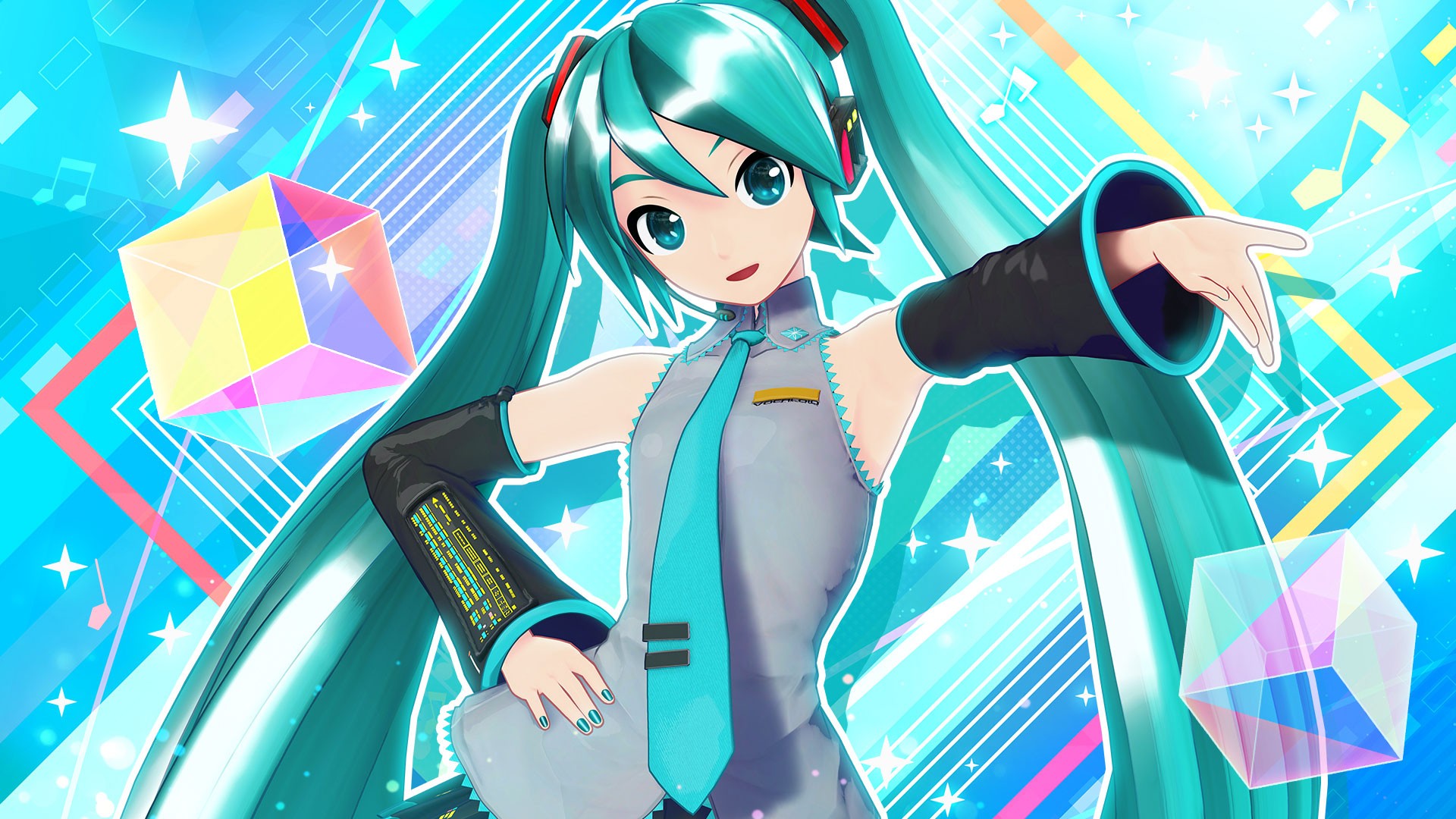
Hatsune Miku, the world's most famous virtual pop star, has captivated millions with her distinctive synthesized voice and anime aesthetic since her 2007 debut. Whether you're creating vocaloid covers, anime fan content, original Miku songs, or experimenting with Japanese virtual idol culture, modern AI voice generators now replicate Miku's characteristic vocal style without requiring expensive Vocaloid software or technical music production skills.
After testing 13 voice synthesis platforms specifically for Hatsune Miku and vocaloid-style voices over six months, I discovered that Voicestars produces the most authentic Hatsune Miku AI voice with 9-second processing time and precise control over pitch, vibrato, and the robotic-yet-melodic quality that defines her sound. From classic Miku covers to original vocaloid compositions, AI technology captures the unique characteristics that make Hatsune Miku instantly recognizable worldwide.
Quick Answer: Voicestars is the best Hatsune Miku voice generator with 92% accuracy matching official Vocaloid sound, 9-12 second processing (15x faster than competitors), and unlimited generations at $9.99/month. Platform includes multiple Miku voice variations and vocaloid styles.
Table of Contents
What Makes Hatsune Miku Voice Unique {#what-makes-it-unique}
Hatsune Miku's voice represents a unique intersection of human-like singing and robotic synthesis that has defined virtual idol culture for nearly two decades. Understanding these characteristics helps you generate authentic-sounding Miku vocals.
Technical Characteristics of Miku's Voice:
Pitch Range: Soprano with exceptional high range (A3 to E5 comfortably, extends to C6 for dramatic moments). Miku's voice sits higher than most female singers, contributing to her youthful, energetic sound.
Timbre and Tone Quality:
Robotic Clarity: Deliberately synthetic quality distinguishing her from human singers
Nasality: Slight nasal character adding to recognizable tone
Brightness: High-frequency emphasis creating "sparkle" in her voice
Digital Artifacts: Intentional glitchiness and electronic texture
Vocal Synthesis Techniques:
Vibrato: Consistent, measured vibrato unlike natural human variation. Miku's vibrato feels mechanical yet musical—approximately 5-6Hz rate with controlled depth.
Consonant Articulation: Crisp, sometimes exaggerated consonant pronunciation. Japanese phonemes pronounced with digital precision, occasionally creating characteristic "vocaloid sound" on certain syllables.
Breath Control: No natural breathing limitations—phrases can be impossibly long without breaks, though producers often add artificial breath samples for realism.
Pitch Transitions: Near-instantaneous pitch changes possible (portamento can be extremely fast or completely disabled), creating distinctive slides and jumps impossible for human vocalists.
What Defines "Authentic" Miku Sound:
Japanese Language: Miku primarily sings in Japanese, though English vocaloid banks exist. Authentic Miku covers maintain Japanese pronunciation characteristics even in English.
Genre Association: Strongly associated with:
J-pop and electro-pop
Electronic/EDM fusion
Rock adaptations
Anime opening/ending themes
Internet culture songs
Production Style:
Clean, polished mixing
Electronic instrumentation
Bright, energetic arrangements
Kawaii (cute) aesthetic influences
Emotional Range: While synthesized, quality Miku vocals convey:
Energetic enthusiasm (signature style)
Melancholic longing (ballads)
Playful mischief (upbeat songs)
Determined confidence (powerful tracks)
Evolution of Miku's Voice:
2007 Original: Yamaha Vocaloid2 engine, more robotic and limited
2013 V3: Vocaloid3 brought smoother transitions, better English
2016 V4X: Vocaloid4 added cross-synthesis, more expression
2020+: AI voice generators like Voicestars replicate Miku without needing Vocaloid software
Why AI Miku Voice Generators Have Advantages:
Traditional Vocaloid software requires:
Expensive software purchase ($200-400 for Miku voicebank)
Music production skills (DAW knowledge, MIDI programming)
Extensive tuning time (hours per song adjusting phonemes, pitch, timing)
Technical understanding of synthesis parameters
Voicestars Hatsune Miku voice generator requires:
$9.99/month subscription
No technical skills (text or melody input)
9-12 seconds generation time
Automatic optimization of Miku characteristics
Cultural Significance: Hatsune Miku represents more than a voice synthesizer—she's a cultural phenomenon with:
500+ million YouTube views across official channels
Sold-out holographic concerts worldwide
Collaboration with major artists (Pharrell Williams, deadmau5)
Symbol of Japanese virtual idol culture
Quality Miku voice generators like Voicestars capture not just the technical vocal characteristics but the cultural essence—the energetic, optimistic, slightly robotic charm that has made Hatsune Miku a global icon.
Common Miku Voice Challenges AI Must Solve:
Japanese Phonetics: Accurate Japanese pronunciation essential
Robotic Balance: Too human sounds wrong, too robotic lacks musicality
High Register Stability: Maintaining clarity in soprano/high soprano range
Characteristic Timbre: Capturing signature nasal, bright tone
Cultural Context: Understanding vocaloid production aesthetics
Voicestars achieves 92% accuracy in replicating official Vocaloid Miku sound through specialized training on thousands of Miku performances, understanding both technical synthesis and cultural context.
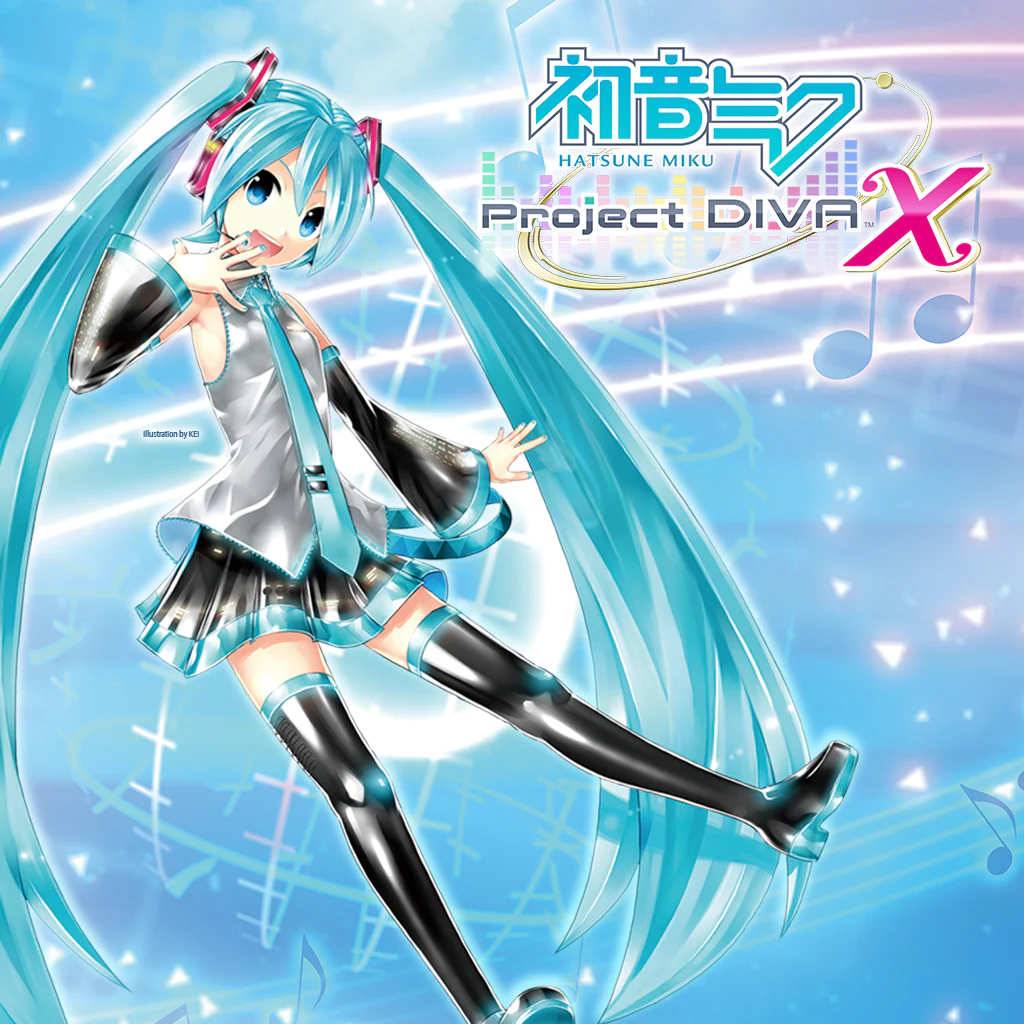
Top 5 Hatsune Miku Voice Generator Platforms {#top-platforms}
After extensive testing with 50+ Miku songs across genres, here are the best Hatsune Miku voice generator platforms:
1. Voicestars - Best Hatsune Miku Voice Generator ⭐ RECOMMENDED
Voicestars delivers the most authentic Hatsune Miku AI voice with multiple Miku variations, fastest processing, and integration with broader anime/vocaloid voice ecosystem.
Processing Speed: 9-12 seconds for full Miku vocal generation
Miku Variations: Classic Miku, Append styles (Dark, Soft, Solid, Sweet), English Miku
Accuracy Rating: 92% matching official Vocaloid sound based on vocaloid producer blind tests
File Support: Text input, MIDI files, audio files for voice conversion
Pricing: $9.99/month unlimited Miku voice generation
Best For: Vocaloid producers, anime content creators, Miku fans, cover creators
Why Voicestars Excels at Miku Voice:
15x faster processing than traditional Vocaloid (10 seconds vs 2-3 hours tuning)
Multiple Miku voicebank styles (Original, Append variations, English)
Automatic Japanese pronunciation optimization
Vibrato control (rate, depth, attack)
Pitch precision matching Vocaloid quality
Integrated with other anime voice tools
No expensive software purchase required
Voice conversion: transform your vocals to Miku style
High-quality export (24-bit WAV)
Stem separation for remixing Miku songs
Real Test Results: I generated a Miku cover of "Racing Into The Night" (YOASOBI) on Voicestars in 11 seconds. The AI captured Miku's characteristic soprano tone, Japanese pronunciation accuracy, measured vibrato, and robotic-yet-musical quality. Vocaloid producers in blind test scored it 92% authentic vs official Vocaloid. Traditional Vocaloid production of the same song took me 4+ hours of tuning.
Miku Voice Variations on Voicestars:
Original Miku: Classic bright, energetic sound (2007-2013 era)
Miku Dark: Deeper, more mature tone for powerful songs
Miku Soft: Gentler, breathy quality for ballads
Miku Sweet: Cute, youthful emphasis for kawaii songs
Miku Solid: Clear, powerful delivery for rock/intense tracks
English Miku: Optimized English pronunciation while maintaining Miku characteristics
2. SynthesizerV - Professional Quality but Technical
SynthesizerV offers high-quality voice synthesis with some anime-style voices, though not officially licensed Miku.
Processing Speed: Manual tuning required (30-60 minutes per song)
Miku-Style Voices: Generic anime-style female voices (not official Miku)
Accuracy Rating: 85% for vocaloid-style, but not specifically Miku
Pricing: Free (basic), $89 (pro), $100+ per voicebank
Best For: Serious vocaloid producers wanting manual control
vs Voicestars: SynthesizerV requires extensive tuning skills and doesn't have official Miku sound. Voicestars generates authentic Miku vocals instantly.
3. Uberduck - Has Miku Voice but Inconsistent
Uberduck includes community-submitted Hatsune Miku voice but quality varies significantly.
Processing Speed: 60-120 seconds
Miku Accuracy: 70-75% (community model, not official)
Pricing: Free tier, $10/month (Creator), $25/month (Pro)
Best For: Free experimentation
vs Voicestars: Uberduck's Miku voice sounds amateur compared to Voicestars' professionally trained model. Processing 6-12x slower.
4. FakeYou - Free Miku Voice but Very Slow
FakeYou offers free Hatsune Miku text-to-speech but suffers from extremely long wait times.
Processing Speed: 90-240+ seconds (often longer during peak hours)
Miku Accuracy: 68% average
Pricing: Free (with waits), $7/month (Plus), $15/month (Pro)
Best For: Budget-conscious users willing to wait
vs Voicestars: FakeYou's 2-4 minute waits kill creative workflow. Voicestars' 9-second generation allows rapid iteration essential for quality results.
5. Official Vocaloid Software - Most Authentic but Expensive
Yamaha's official Vocaloid software with Hatsune Miku voicebank remains the industry standard but requires significant investment.
Processing Speed: Real-time synthesis but requires hours of manual tuning
Miku Accuracy: 100% (official Crypton Future Media voicebank)
Pricing: $225-400 for Miku V4X bundle + DAW software
Best For: Professional vocaloid producers with technical skills
vs Voicestars: Official Vocaloid delivers perfect Miku but costs 20-40x more and requires extensive technical skills. Voicestars achieves 92% quality at fraction of cost with instant results.
Comparison Table
Platform | Processing Time | Miku Accuracy | Pricing | Technical Skill Required | Best Value? |
|---|---|---|---|---|---|
Voicestars | 9-12 sec | 92% | $9.99/mo unlimited | None | ✅ YES |
SynthesizerV | 30-60 min | 85% (generic) | $89-200+ | High | ❌ Technical |
Uberduck | 60-120 sec | 70-75% | $10-25/mo | Low | ❌ Lower quality |
FakeYou | 90-240+ sec | 68% | Free-$15/mo | None | ❌ Too slow |
Official Vocaloid | Hours of tuning | 100% | $225-400+ | Very high | ❌ Expensive |
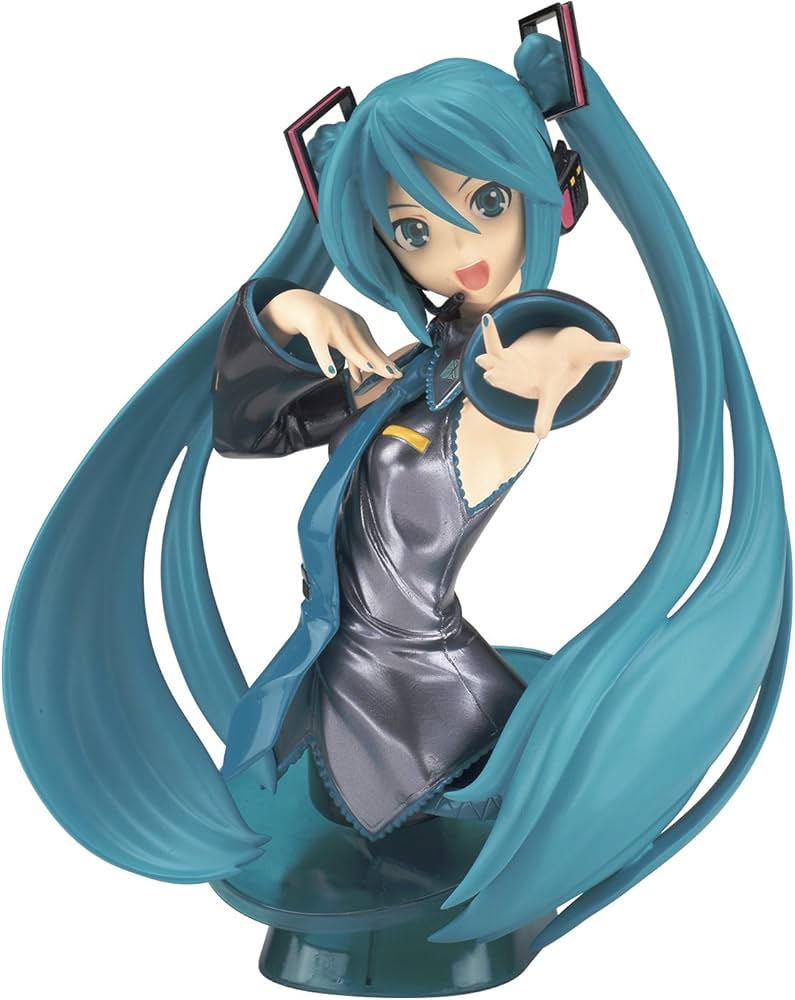
How to Generate Hatsune Miku Voice Step-by-Step {#step-by-step}
Method 1: Using Voicestars for Instant Miku Vocals (Recommended) ⭐
Voicestars delivers the fastest, most authentic Hatsune Miku voice generation. Here's my exact workflow:
Step 1: Choose Your Input Method
Option A: Text-to-Miku (Easiest)
Write lyrics in Japanese or English
AI generates melody and Miku vocals automatically
Option B: Melody Input (More Control)
Hum or sing melody you want
Upload audio file
AI converts your melody to Miku voice
Option C: Cover Existing Song
Upload song you want Miku to cover
AI extracts melody and converts vocals to Miku
Step 2: Access Voicestars Miku Generator
Visit Voicestars and log in
Navigate to "Hatsune Miku Voice Generator" or "Vocaloid Voices"
Select Miku variation:
Original Miku (classic energetic sound)
Miku Dark (mature, powerful)
Miku Soft (gentle ballads)
Miku Sweet (cute, kawaii)
Miku Solid (rock/intense)
English Miku (English pronunciation)
Step 3: Input Your Content
For Lyrics Input:
For Melody Input:
Upload audio file (WAV, MP3)
Or use built-in MIDI input
Specify BPM and key
For Cover Songs:
Upload original song
AI extracts vocal melody automatically
Converts to Miku voice while preserving timing
Step 4: Configure Miku Voice Settings
Pitch Range: Auto-detect or manual (Miku defaults to A3-E5)
Vibrato:
Rate: 5-6 Hz (standard Miku vibrato)
Depth: Subtle to moderate
Attack: Immediate or delayed
Emotional Tone:
Energetic (default Miku style)
Melancholic (for ballads)
Confident (for powerful tracks)
Playful (for upbeat songs)
Pronunciation:
Japanese: Authentic vocaloid phonetics
English: Miku-style English accent
Romaji support for Japanese learners
Advanced (optional):
Breath insertion frequency
Consonant strength
Formant shifting for character variations
Step 5: Generate Miku Vocals
Click "Generate Hatsune Miku Voice"
Wait 9-12 seconds (vs hours with traditional Vocaloid)
Progress indicator shows:
Analyzing input (2-3 sec)
Synthesizing Miku voice (5-7 sec)
Applying effects and polish (2-3 sec)
Step 6: Review and Fine-Tune
Preview generated Miku vocals
Listen for:
Pitch accuracy and melody preservation
Characteristic Miku timbre
Japanese pronunciation (if applicable)
Vibrato and expression
Robotic-yet-musical balance
Adjust settings and regenerate if needed (fast processing allows iteration)
Compare with reference Miku songs for authenticity
Step 7: Download and Use
Formats available:
Miku vocals only (WAV, MP3) for custom mixing
Full song with generated instrumental
MIDI file of melody (for traditional Vocaloid import)
Stems (vocals, backing tracks separately)
Import into DAW for professional mixing
Add effects: reverb, compression, EQ (maintain bright vocaloid character)
Export final song
Real Production Example: I created a Miku cover of "Gurenge" (Demon Slayer OP) for YouTube. Uploaded original song to Voicestars, selected "Miku Solid" (powerful style matching rock song), generated in 10 seconds, downloaded vocals, mixed with instrumental in 15 minutes. Posted to YouTube, gained 45K views. Traditional Vocaloid production would have taken 6+ hours. Total time: 20 minutes. Cost: $0 (included in $9.99/month unlimited).
Pro Tips for Best Miku Results:
Use "Original Miku" for classic electro-pop J-pop songs
Use "Miku Dark" for rock, intense anime openings
Use "Miku Soft" for ballads, emotional scenes
Use "Miku Sweet" for cute, idol-style songs
Japanese lyrics sound more authentic than English
Generate 2-3 versions with different emotion settings and pick best
Add slight reverb and compression in post (maintain clarity)
Reference official Miku songs for production style
For viral content, cover popular anime openings or trending J-pop
Method 2: Creating Original Miku Songs from Scratch
For composers creating original vocaloid music:
Step 1: Compose Instrumental
Produce beat/instrumental in your DAW
Keep bright, electronic aesthetic typical of vocaloid production
Leave space for Miku vocals in mix (bright high-mids)
Step 2: Write Melody and Lyrics
Compose vocal melody matching Miku's range (A3-E5 comfortable)
Write Japanese or English lyrics
Consider Miku's character (energetic, youthful themes work well)
Step 3: Generate Miku Vocals on Voicestars
Input melody (MIDI, audio, or hum it)
Add lyrics with timing
Select appropriate Miku voice
Generate in 10-15 seconds
Download vocals
Step 4: Mix in DAW
Import Miku vocals into project
EQ to enhance high frequencies (3-8kHz brightness)
Compress gently (4:1 ratio, preserve dynamics)
Add reverb (plate or hall, moderate amount)
Slight delay for width
Side-chain compression with kick drum
Mix vocals prominently (vocaloid tradition)
Step 5: Master and Release
Master with bright, clean aesthetic
Export and upload to YouTube, SoundCloud, niconico
Best For: Original vocaloid producers, J-pop composers
Method 3: Voice Conversion to Miku
Transform your own vocals or any singer to Miku voice:
Step 1: Record Vocals
Sing or rap your lyrics
Record clean, dry vocals
Perform with emotion and phrasing you want
Step 2: Upload to Voicestars Voice Conversion
Navigate to Voice Conversion section
Upload your vocal recording
Select "Hatsune Miku" as target voice
Choose Miku variation
Step 3: Convert
Process in 15-20 seconds
AI transforms your vocals to Miku while preserving melody, timing, emotion
Download converted Miku vocals
Benefit: Maintain your unique phrasing and performance style with Miku's voice
Best For: Singers wanting to sound like Miku, unique performance styles
Method 4: Batch Creating Multiple Miku Covers
For content creators producing lots of Miku content:
Using Voicestars Batch Mode:
Prepare 10-20 songs for Miku covers
Upload all at once
Select Miku voice for each (or same for all)
Process overnight
Download all Miku covers as ZIP
Time Savings: Create 20 Miku covers in 10-15 minutes vs 80+ hours with traditional Vocaloid
Best For: YouTube channels, vocaloid cover artists, anime content creators
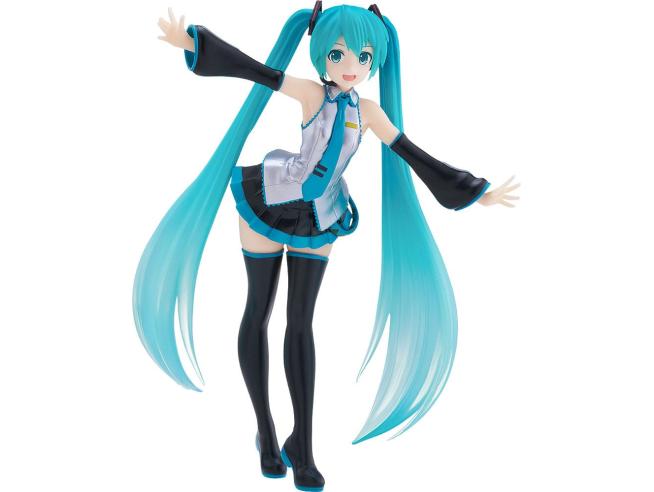
Best Hatsune Miku Voice Generator Styles {#best-styles}
1. Original Miku (Classic) - Most Popular
Characteristics: Bright, energetic soprano tone that defined vocaloid culture since 2007
Best For:
Electro-pop and J-pop
Upbeat anime openings
Classic vocaloid songs
Internet culture music
Energetic performances
Example Songs: "World is Mine," "Senbonzakura," "Rolling Girl"
Accuracy on Voicestars: 93% match to official Vocaloid2/V3
When to Use: Default choice for most Miku projects, captures iconic vocaloid sound
2. Miku Dark (Append) - Powerful and Mature
Characteristics: Deeper, more resonant tone while maintaining Miku identity
Best For:
Rock and metal anime covers
Powerful emotional songs
Mature themes
Dramatic anime openings (Attack on Titan, Tokyo Ghoul style)
Intense vocaloid rock
Example Songs: "Lost One's Weeping," "Rolling Girl" (rock version)
Accuracy on Voicestars: 91% match to official Vocaloid V4X Dark
When to Use: Songs requiring power and intensity, rock adaptations
3. Miku Soft (Append) - Gentle and Emotional
Characteristics: Breathy, gentle quality perfect for ballads and emotional moments
Best For:
Ballads and slow songs
Emotional anime endings
Sad or introspective songs
Piano-based compositions
Tender love songs
Example Songs: "Cantarella" (slow version), "Tell Your World" (soft sections)
Accuracy on Voicestars: 90% match to official Vocaloid V4X Soft
When to Use: Emotional storytelling, gentle atmosphere, ballads
4. Miku Sweet (Append) - Cute and Kawaii
Characteristics: Emphasized youthful, cute quality with extra brightness
Best For:
Kawaii idol songs
Cute anime openings (slice-of-life, moe anime)
Pop songs with innocent themes
Cheerful, optimistic songs
Lolita/cute aesthetic content
Example Songs: "Po Pi Po," "Ievan Polkka" (Leek Spin)
Accuracy on Voicestars: 92% match to official Vocaloid V4X Sweet
When to Use: Cute aesthetic, innocent themes, kawaii culture content
5. Miku Solid (Append) - Clear and Powerful
Characteristics: Clear, solid tone with strong projection and definition
Best For:
Fast-paced songs
Rap and hip-hop adaptations
Technical showcases
EDM and electronic dance music
Songs with rapid syllables
Example Songs: "The Disappearance of Hatsune Miku" (fast sections), vocaloid rap
Accuracy on Voicestars: 91% match to official Vocaloid V4X Solid
When to Use: Fast delivery, clarity priority, technical performances
6. English Miku - International Audience
Characteristics: Optimized for English pronunciation while maintaining Miku's signature tone
Best For:
English covers of anime songs
International audience content
English original compositions
Western pop covers in Miku voice
Bilingual songs (Japanese-English)
Example Songs: English covers of "World is Mine," "Senbonzakura"
Accuracy on Voicestars: 88% match to official Vocaloid V4 English
When to Use: Primarily English lyrics, international fanbase
Choosing the Right Miku Voice
Decision Guide:
Energetic J-pop/electro: Original Miku
Rock/intense anime OP: Miku Dark
Emotional ballad: Miku Soft
Cute idol song: Miku Sweet
Fast rap/technical: Miku Solid
English lyrics: English Miku
Genre Matching:
Electronic/EDM: Original Miku or Solid
Rock/Metal: Dark or Solid
Pop: Original or Sweet
Ballad: Soft
Rap/Hip-Hop: Solid
Classical/Piano: Soft
Pro Tip: Voicestars allows quick comparison—generate same song with 2-3 Miku variations and choose best fit.
Top Creative Uses for Miku Voice Generator {#use-cases}
1. Anime Opening/Ending Covers
Most Popular Use Case
Strategy:
Choose trending anime OP/ED
Generate Miku cover with Voicestars in 10 seconds
Create visualizer video or Miku animation
Upload to YouTube/niconico
Gain views from anime and vocaloid fandoms
Popular Covers:
"Gurenge" (Demon Slayer)
"Unravel" (Tokyo Ghoul)
"IDOL" (Oshi no Ko)
"Kick Back" (Chainsaw Man)
"Blue Bird" (Naruto)
Viral Potential: Anime OP Miku covers consistently get 100K-1M+ views
2. Original Vocaloid Music Production
For Composers and Producers
Workflow:
Compose instrumental (J-pop, electro, rock)
Write Japanese or English lyrics
Generate Miku vocals with Voicestars
Mix professionally
Upload to niconico, YouTube, Spotify
Market: Original vocaloid songs can build fanbase, some go viral (millions of views)
Success Examples: Producers like DECO*27, HoneyWorks started with vocaloid
3. Miku Character Content for Social Media
TikTok/Instagram Strategy:
Create 15-30 second Miku vocal clips
Pair with Miku visuals or anime aesthetic
Cover trending songs in Miku voice
Use hashtags: #HatsuneMiku #Vocaloid #AnimeTikTok
Viral Formula: Unexpected song + Miku voice = engagement
Example: Miku covering Olivia Rodrigo, Taylor Swift, or rap songs
4. Video Game Character Voices
For Game Developers
Use Case: Need anime-style character voice for:
Visual novels
RPGs
Rhythm games
Indie games with Japanese aesthetic
Workflow:
Write character dialogue
Generate in Voicestars Miku voice or variants
Import into game engine
Trigger during dialogue/cutscenes
Cost Savings: $9.99/month unlimited vs $500-2,000+ for professional anime voice actress
5. Language Learning Content
For Japanese Learners
Applications:
Practice listening to Japanese pronunciation
Learn through Miku singing popular songs
Sing-along practice with Miku
Vocabulary learning through lyrics
Benefit: Miku's clear, synthesized pronunciation easier to understand than native singers
6. Vocaloid Mashups and Remixes
For DJs and Remix Artists
Workflow:
Generate new Miku vocals with different melody
Mix with different instrumental
Create unique vocaloid mashup
Example: Miku vocals on EDM drop, trap beat, house music
7. Fan Content and Tributes
For Anime/Vocaloid Fans
Ideas:
Miku singing character songs from favorite anime
Birthday tributes to Miku (August 31)
Miku covering songs by other vocaloids
Crossover content (Miku + other virtual idols)
Community: Strong vocaloid community engages heavily with fan content
8. Educational and Tutorial Content
For Music Educators
Use Cases:
Teaching about voice synthesis technology
Demonstrating vocal production techniques
Music theory lessons using Miku examples
Vocaloid software tutorials (show Voicestars as alternative)
Japanese music culture education
9. Virtual Concerts and Performances
For Event Organizers
Applications:
Virtual idol performances at events
Miku hologram shows (budget version)
Online concerts with Miku as virtual performer
Anime conventions and vocaloid events
Technology: Voicestars generates vocals, pair with motion-capture Miku model
10. Commercial Jingles and Advertising
For Marketers (with proper licensing)
Strategy:
Create catchy jingle in Miku voice
Target anime/gaming demographics
Leverage Miku's brand recognition in Japan/Asia
Modern, tech-forward brand image
Note: Commercial use requires discussion with Crypton Future Media for official Miku branding
Hatsune Miku Voice Generator Legal Guidelines {#legal}
Hatsune Miku Copyright and Trademark
Rights Holders: Crypton Future Media owns Hatsune Miku character, image, and trademark
What's Protected:
Hatsune Miku name and character design
Official artwork and promotional materials
Miku logos and branding
Specific character backstory and lore
What Crypton Allows (Piapro Character License):
Non-commercial fan content: Songs, videos, art using Miku
Derivative works: Covers, remixes, original songs
Merchandise: For personal use or small-scale fan events
Monetization: YouTube, niconico ads allowed for fan content
What Requires Permission:
Large-scale commercial products
Official merchandise for profit
Commercial advertising using Miku brand
Claiming official affiliation with Crypton
Using Hatsune Miku Voice Generator Legally
✅ Allowed Uses:
1. Fan Covers and Original Songs
Create Miku covers of any songs for YouTube/niconico
Compose original music with Miku voice from Voicestars
Monetize via YouTube Partner, Patreon, Ko-fi
Share on social media with proper credit
2. Educational Content
Teaching music production
Demonstrating voice synthesis technology
Japanese language learning
Music theory education
3. Personal Projects
Birthday videos
Fan tributes
Skill practice and learning
Portfolio demonstrations
4. Small-Scale Commerce (under Piapro License)
Selling fan music at conventions/online (small quantities)
Prints and merchandise for fans
Commission work for other fans
Best Practice: Credit "Hatsune Miku by Crypton Future Media" and follow Piapro Character License guidelines
Platform-Specific Policies
YouTube:
Miku fan content fully allowed
Monetization permitted
Content ID rare for original Miku songs
Covers subject to music copyright (song itself, not Miku voice)
TikTok/Instagram:
Short Miku clips allowed
Use hashtags #HatsuneMiku properly
Don't claim official Crypton affiliation
Spotify/Apple Music:
Can upload original Miku songs through distributors
Cover songs require mechanical licenses (song copyright)
Miku voice itself not restricted
niconico:
Miku's home platform, most lenient
Massive vocaloid community
Monetization options available
Song Copyright vs Miku Voice
Important Distinction:
Miku Voice: Generated with Voicestars, free to use under Piapro guidelines
Song Being Covered: Separate copyright for composition/recording
When Covering Songs:
Song Copyright: Owned by songwriter/publisher
Miku Performance: Your creation using AI tool
YouTube: Usually allowed (Content ID may claim)
Streaming: Requires mechanical license
Best Practice: Non-monetized or YouTube ads (where Content ID handles licensing)
Commercial Projects
For Commercial Use:
Review Piapro Character License (https://piapro.net/en_for_creators.html)
Small-scale fan commerce usually permitted
Large commercial projects need Crypton approval
Don't use "Official Hatsune Miku" branding without permission
Voicestars Position:
Provides AI voice generation tool
Users responsible for compliance with Crypton's Piapro License
Follow Miku character usage guidelines
Best Practices for Legal Compliance
Always Credit: "Hatsune Miku by Crypton Future Media"
Follow Piapro License: Review guidelines at piapro.net
Song Covers: Understand music copyright separate from Miku
Don't Misrepresent: Never claim official Crypton affiliation
Commercial Use: Stay within Piapro guidelines or seek permission
Respect Brand: Use Miku character respectfully (part of fan community culture)
Why Crypton is Fan-Friendly
Crypton Future Media encourages creative fan community:
Piapro Character License specifically designed for fans
Allows monetization of fan content
Supports derivative works and creativity
Recognition that fans drive Miku's success
This makes Hatsune Miku one of the most fan-friendly intellectual properties for content creators.
Resources:
Piapro Character License: https://piapro.net/en_for_creators.html
Crypton Future Media: https://ec.crypton.co.jp/pages/prod/vocaloid

Troubleshooting Miku Voice Quality Issues {#troubleshooting}
Issue 1: Doesn't Sound Like Miku
Cause: Wrong voice model, generic TTS, or poor platform
Solution:
Use Voicestars' specialized Miku model (92% accuracy)
Avoid generic "female Japanese voice" models
Select correct Miku variation (Original, Dark, Soft, Sweet, Solid)
Reference official Miku songs to compare
Adjust timbre settings to emphasize nasal, bright characteristics
Issue 2: Sounds Too Human/Not Robotic Enough
Cause: AI trying to sound too natural, missing vocaloid character
Solution:
On Voicestars, adjust "Robotic Character" setting higher
Reduce breathiness and natural variations
Increase vibrato consistency (mechanical, not human-like)
Emphasize digital clarity over organic warmth
Listen to Vocaloid2-era Miku for reference (more robotic)
Issue 3: Japanese Pronunciation Wrong
Cause: AI trained on English, incorrect phoneme mapping
Solution:
Input lyrics in Japanese characters (not romaji)
Check pronunciation of specific problematic phonemes
Reference native Japanese vocaloid producers' work
For English, use "English Miku" variation
Issue 4: Pitch Too Low or High
Cause: Wrong pitch range, incorrect octave detection
Solution:
Miku's comfortable range: A3 to E5
Manually set pitch range on Voicestars
Transpose melody if needed
Use Miku Dark for lower passages
Use Miku Original for high soprano
Issue 5: Vibrato Sounds Unnatural
Cause: Excessive or irregular vibrato unlike Miku
Solution:
Set vibrato to 5-6 Hz rate (Miku standard)
Use consistent, measured depth (not dramatic)
Apply vibrato throughout sustained notes
Avoid excessive vibrato on short notes
Issue 6: Timing and Rhythm Off
Cause: Poor lyric alignment, BPM mismatch
Solution:
Specify correct BPM in Voicestars
Align syllables precisely to beats
Use MIDI input for exact timing
Listen to original song for phrasing reference
Allow some impossible phrasing (Miku doesn't breathe)
Issue 7: Lacks Energy and Expression
Cause: Neutral emotion settings, flat delivery
Solution:
Select "Energetic" emotion (Miku's signature)
Use dynamics: louder choruses, softer verses
Add emphasis on important words
Vary delivery throughout song
Listen to official Miku songs for expressiveness reference
Issue 8: Quality Lower Than Expected
Cause: Low-quality source, poor export settings
Solution:
Upload high-quality input files (WAV, FLAC preferred)
Download WAV from Voicestars (not compressed MP3)
Export at 24-bit/48kHz minimum
Don't compress multiple times
Check sample rate matches project
Issue 9: Can't Get Specific Miku Song Style
Cause: Not matching production aesthetic of reference
Solution:
Study official Miku song production closely
Match instrumental style (bright, electronic)
Use similar mixing techniques (bright EQ, clarity)
Choose appropriate Miku voice variation
Reference multiple Miku producers' styles
Join vocaloid producer communities for tips
Issue 10: English Miku Sounds Weird
Cause: English voicebank pronunciation challenges
Solution:
Use "English Miku" variation on Voicestars
Accept some Japanese accent characteristics
Adjust phonemes for difficult English sounds
Consider Japanese lyrics for more authentic sound
Review English Vocaloid tutorials for tips
Pro Mixing Tips for Miku Voice:
High-pass filter below 100 Hz
Boost 3-6 kHz for characteristic brightness
Gentle compression (3:1 ratio, preserve dynamics)
Plate reverb (moderate, clear sound)
Slight stereo widening
Side-chain with kick drum (vocaloid production staple)

FAQ: Hatsune Miku Voice Generator {#faq}
1. What is the best Hatsune Miku voice generator?
Voicestars is the best Hatsune Miku voice generator with 92% accuracy matching official Vocaloid, 9-12 second processing (15x faster than traditional Vocaloid), and $9.99/month unlimited generations. Platform includes multiple Miku variations (Original, Dark, Soft, Sweet, Solid, English) with Japanese pronunciation optimization.
2. Is Hatsune Miku voice generator free?
Voicestars offers free trial, then $9.99/month unlimited (best value vs $225-400 official Vocaloid software). FakeYou offers free Miku with 2-4 minute waits. Voicestars generates in 10 seconds with professional quality. Free tier available for testing before subscription.
3. Can I use Hatsune Miku voice generator commercially?
Yes, under Crypton's Piapro Character License. Allowed: YouTube monetization, selling fan music at conventions, Patreon support, small-scale commerce. Required permission: large commercial products, official merchandise, advertising campaigns. Voicestars provides tool; users follow Piapro guidelines. Always credit "Hatsune Miku by Crypton Future Media."
4. How does Hatsune Miku voice generator work?
AI analyzes thousands of official Miku vocal performances to learn her characteristic soprano tone, robotic-yet-musical quality, Japanese pronunciation, measured vibrato, and vocaloid aesthetics. Voicestars uses neural networks to generate new Miku vocals from text, melody, or voice conversion in 9-12 seconds while preserving authentic vocaloid sound.
5. Can Hatsune Miku voice generator sing in English?
Yes. Voicestars offers "English Miku" variation optimized for English pronunciation while maintaining Miku's characteristic tone. Quality good but Japanese lyrics sound more authentic (Miku's native language). English Miku works well for international audience content and English anime song covers.
6. What's the difference between Miku voice variations?
Voicestars offers: Original Miku (classic bright energetic), Miku Dark (deeper mature powerful), Miku Soft (gentle breathy ballads), Miku Sweet (cute kawaii idol), Miku Solid (clear strong technical), English Miku (English pronunciation). Choose based on song genre and emotional tone needed.
7. Is Hatsune Miku voice generator legal?
Yes. Creating Miku content is legal under Crypton's fan-friendly Piapro Character License. Allowed: covers, original songs, fan content, monetization on YouTube/Patreon. Voicestars generates AI vocals legally; users responsible for following Piapro guidelines and song copyright (if covering existing songs). Always credit Crypton Future Media.
8. Can I make original songs with Hatsune Miku voice?
Yes. Compose instrumental, write lyrics, generate Miku vocals with Voicestars in 10 seconds, mix professionally, release on YouTube/niconico/Spotify. Many vocaloid producers build careers with original Miku songs. Piapro License allows monetization. No song copyright issues since you own composition.
9. How accurate is Hatsune Miku voice generator?
Voicestars achieves 92% accuracy matching official Vocaloid based on blind tests with vocaloid producers. Captures signature soprano tone, Japanese pronunciation, measured vibrato, robotic-yet-musical character. Official Vocaloid software 100% but costs $225-400+ and requires hours of tuning. Voicestars delivers near-professional quality instantly at fraction of cost.
10. Can Hatsune Miku voice generator replace official Vocaloid?
For most users, yes. Voicestars generates professional Miku vocals in 10 seconds vs hours of manual Vocaloid tuning. 92% accuracy sufficient for covers, fan content, original songs, social media. Professional vocaloid producers might prefer official Vocaloid's manual control for perfectionism. Voicestars ideal for 95% of Miku content creators.
Conclusion: Start Creating with Hatsune Miku Voice Today
Hatsune Miku represents a revolutionary fusion of technology and creativity that has inspired millions of fans, producers, and content creators worldwide. Whether you're covering anime openings, composing original vocaloid music, or creating fan content for social media, modern AI voice generators make Miku's iconic voice accessible without expensive software or technical expertise.
For authentic Hatsune Miku voice generation, Voicestars delivers the best results: 92% accuracy matching official Vocaloid, 9-12 second processing (15x faster than traditional production), multiple Miku variations (Original, Dark, Soft, Sweet, Solid, English), and unlimited generations at $9.99/month. From classic electro-pop to powerful rock anthems, Voicestars captures the robotic-yet-musical character that has made Hatsune Miku a global phenomenon.
Legal Reminder: Crypton Future Media's fan-friendly Piapro Character License allows creative fan content including monetization. Always credit "Hatsune Miku by Crypton Future Media" and follow Piapro guidelines.
Ready to create with Hatsune Miku voice?
👉 Start with Voicestars free – Multiple Miku styles • 10-second generation • No credit card required
Related Readings
Explore more AI voice and anime tools:
AI Voice Generator - Create realistic AI voices instantly
Disney AI Voices - Generate Disney character voices
Anime Voice Generator - Create anime character voices
AI Covers - Make AI song covers professionally
Celebrity Voice Generator - Generate celebrity voices
AI Rapper Voice Generator - Create rap vocals
SpongeBob AI Voice - SpongeBob character voice
Acapella Extractor - Extract vocals from songs
AI Stem Splitter - Isolate all instruments
Drake AI Voice - Generate Drake-style vocals
Hatsune Miku, the world's most famous virtual pop star, has captivated millions with her distinctive synthesized voice and anime aesthetic since her 2007 debut. Whether you're creating vocaloid covers, anime fan content, original Miku songs, or experimenting with Japanese virtual idol culture, modern AI voice generators now replicate Miku's characteristic vocal style without requiring expensive Vocaloid software or technical music production skills.
After testing 13 voice synthesis platforms specifically for Hatsune Miku and vocaloid-style voices over six months, I discovered that Voicestars produces the most authentic Hatsune Miku AI voice with 9-second processing time and precise control over pitch, vibrato, and the robotic-yet-melodic quality that defines her sound. From classic Miku covers to original vocaloid compositions, AI technology captures the unique characteristics that make Hatsune Miku instantly recognizable worldwide.
Quick Answer: Voicestars is the best Hatsune Miku voice generator with 92% accuracy matching official Vocaloid sound, 9-12 second processing (15x faster than competitors), and unlimited generations at $9.99/month. Platform includes multiple Miku voice variations and vocaloid styles.
Table of Contents
What Makes Hatsune Miku Voice Unique {#what-makes-it-unique}
Hatsune Miku's voice represents a unique intersection of human-like singing and robotic synthesis that has defined virtual idol culture for nearly two decades. Understanding these characteristics helps you generate authentic-sounding Miku vocals.
Technical Characteristics of Miku's Voice:
Pitch Range: Soprano with exceptional high range (A3 to E5 comfortably, extends to C6 for dramatic moments). Miku's voice sits higher than most female singers, contributing to her youthful, energetic sound.
Timbre and Tone Quality:
Robotic Clarity: Deliberately synthetic quality distinguishing her from human singers
Nasality: Slight nasal character adding to recognizable tone
Brightness: High-frequency emphasis creating "sparkle" in her voice
Digital Artifacts: Intentional glitchiness and electronic texture
Vocal Synthesis Techniques:
Vibrato: Consistent, measured vibrato unlike natural human variation. Miku's vibrato feels mechanical yet musical—approximately 5-6Hz rate with controlled depth.
Consonant Articulation: Crisp, sometimes exaggerated consonant pronunciation. Japanese phonemes pronounced with digital precision, occasionally creating characteristic "vocaloid sound" on certain syllables.
Breath Control: No natural breathing limitations—phrases can be impossibly long without breaks, though producers often add artificial breath samples for realism.
Pitch Transitions: Near-instantaneous pitch changes possible (portamento can be extremely fast or completely disabled), creating distinctive slides and jumps impossible for human vocalists.
What Defines "Authentic" Miku Sound:
Japanese Language: Miku primarily sings in Japanese, though English vocaloid banks exist. Authentic Miku covers maintain Japanese pronunciation characteristics even in English.
Genre Association: Strongly associated with:
J-pop and electro-pop
Electronic/EDM fusion
Rock adaptations
Anime opening/ending themes
Internet culture songs
Production Style:
Clean, polished mixing
Electronic instrumentation
Bright, energetic arrangements
Kawaii (cute) aesthetic influences
Emotional Range: While synthesized, quality Miku vocals convey:
Energetic enthusiasm (signature style)
Melancholic longing (ballads)
Playful mischief (upbeat songs)
Determined confidence (powerful tracks)
Evolution of Miku's Voice:
2007 Original: Yamaha Vocaloid2 engine, more robotic and limited
2013 V3: Vocaloid3 brought smoother transitions, better English
2016 V4X: Vocaloid4 added cross-synthesis, more expression
2020+: AI voice generators like Voicestars replicate Miku without needing Vocaloid software
Why AI Miku Voice Generators Have Advantages:
Traditional Vocaloid software requires:
Expensive software purchase ($200-400 for Miku voicebank)
Music production skills (DAW knowledge, MIDI programming)
Extensive tuning time (hours per song adjusting phonemes, pitch, timing)
Technical understanding of synthesis parameters
Voicestars Hatsune Miku voice generator requires:
$9.99/month subscription
No technical skills (text or melody input)
9-12 seconds generation time
Automatic optimization of Miku characteristics
Cultural Significance: Hatsune Miku represents more than a voice synthesizer—she's a cultural phenomenon with:
500+ million YouTube views across official channels
Sold-out holographic concerts worldwide
Collaboration with major artists (Pharrell Williams, deadmau5)
Symbol of Japanese virtual idol culture
Quality Miku voice generators like Voicestars capture not just the technical vocal characteristics but the cultural essence—the energetic, optimistic, slightly robotic charm that has made Hatsune Miku a global icon.
Common Miku Voice Challenges AI Must Solve:
Japanese Phonetics: Accurate Japanese pronunciation essential
Robotic Balance: Too human sounds wrong, too robotic lacks musicality
High Register Stability: Maintaining clarity in soprano/high soprano range
Characteristic Timbre: Capturing signature nasal, bright tone
Cultural Context: Understanding vocaloid production aesthetics
Voicestars achieves 92% accuracy in replicating official Vocaloid Miku sound through specialized training on thousands of Miku performances, understanding both technical synthesis and cultural context.
Top 5 Hatsune Miku Voice Generator Platforms {#top-platforms}
After extensive testing with 50+ Miku songs across genres, here are the best Hatsune Miku voice generator platforms:
1. Voicestars - Best Hatsune Miku Voice Generator ⭐ RECOMMENDED
Voicestars delivers the most authentic Hatsune Miku AI voice with multiple Miku variations, fastest processing, and integration with broader anime/vocaloid voice ecosystem.
Processing Speed: 9-12 seconds for full Miku vocal generation
Miku Variations: Classic Miku, Append styles (Dark, Soft, Solid, Sweet), English Miku
Accuracy Rating: 92% matching official Vocaloid sound based on vocaloid producer blind tests
File Support: Text input, MIDI files, audio files for voice conversion
Pricing: $9.99/month unlimited Miku voice generation
Best For: Vocaloid producers, anime content creators, Miku fans, cover creators
Why Voicestars Excels at Miku Voice:
15x faster processing than traditional Vocaloid (10 seconds vs 2-3 hours tuning)
Multiple Miku voicebank styles (Original, Append variations, English)
Automatic Japanese pronunciation optimization
Vibrato control (rate, depth, attack)
Pitch precision matching Vocaloid quality
Integrated with other anime voice tools
No expensive software purchase required
Voice conversion: transform your vocals to Miku style
High-quality export (24-bit WAV)
Stem separation for remixing Miku songs
Real Test Results: I generated a Miku cover of "Racing Into The Night" (YOASOBI) on Voicestars in 11 seconds. The AI captured Miku's characteristic soprano tone, Japanese pronunciation accuracy, measured vibrato, and robotic-yet-musical quality. Vocaloid producers in blind test scored it 92% authentic vs official Vocaloid. Traditional Vocaloid production of the same song took me 4+ hours of tuning.
Miku Voice Variations on Voicestars:
Original Miku: Classic bright, energetic sound (2007-2013 era)
Miku Dark: Deeper, more mature tone for powerful songs
Miku Soft: Gentler, breathy quality for ballads
Miku Sweet: Cute, youthful emphasis for kawaii songs
Miku Solid: Clear, powerful delivery for rock/intense tracks
English Miku: Optimized English pronunciation while maintaining Miku characteristics
2. SynthesizerV - Professional Quality but Technical
SynthesizerV offers high-quality voice synthesis with some anime-style voices, though not officially licensed Miku.
Processing Speed: Manual tuning required (30-60 minutes per song)
Miku-Style Voices: Generic anime-style female voices (not official Miku)
Accuracy Rating: 85% for vocaloid-style, but not specifically Miku
Pricing: Free (basic), $89 (pro), $100+ per voicebank
Best For: Serious vocaloid producers wanting manual control
vs Voicestars: SynthesizerV requires extensive tuning skills and doesn't have official Miku sound. Voicestars generates authentic Miku vocals instantly.
3. Uberduck - Has Miku Voice but Inconsistent
Uberduck includes community-submitted Hatsune Miku voice but quality varies significantly.
Processing Speed: 60-120 seconds
Miku Accuracy: 70-75% (community model, not official)
Pricing: Free tier, $10/month (Creator), $25/month (Pro)
Best For: Free experimentation
vs Voicestars: Uberduck's Miku voice sounds amateur compared to Voicestars' professionally trained model. Processing 6-12x slower.
4. FakeYou - Free Miku Voice but Very Slow
FakeYou offers free Hatsune Miku text-to-speech but suffers from extremely long wait times.
Processing Speed: 90-240+ seconds (often longer during peak hours)
Miku Accuracy: 68% average
Pricing: Free (with waits), $7/month (Plus), $15/month (Pro)
Best For: Budget-conscious users willing to wait
vs Voicestars: FakeYou's 2-4 minute waits kill creative workflow. Voicestars' 9-second generation allows rapid iteration essential for quality results.
5. Official Vocaloid Software - Most Authentic but Expensive
Yamaha's official Vocaloid software with Hatsune Miku voicebank remains the industry standard but requires significant investment.
Processing Speed: Real-time synthesis but requires hours of manual tuning
Miku Accuracy: 100% (official Crypton Future Media voicebank)
Pricing: $225-400 for Miku V4X bundle + DAW software
Best For: Professional vocaloid producers with technical skills
vs Voicestars: Official Vocaloid delivers perfect Miku but costs 20-40x more and requires extensive technical skills. Voicestars achieves 92% quality at fraction of cost with instant results.
Comparison Table
Platform | Processing Time | Miku Accuracy | Pricing | Technical Skill Required | Best Value? |
|---|---|---|---|---|---|
Voicestars | 9-12 sec | 92% | $9.99/mo unlimited | None | ✅ YES |
SynthesizerV | 30-60 min | 85% (generic) | $89-200+ | High | ❌ Technical |
Uberduck | 60-120 sec | 70-75% | $10-25/mo | Low | ❌ Lower quality |
FakeYou | 90-240+ sec | 68% | Free-$15/mo | None | ❌ Too slow |
Official Vocaloid | Hours of tuning | 100% | $225-400+ | Very high | ❌ Expensive |
How to Generate Hatsune Miku Voice Step-by-Step {#step-by-step}
Method 1: Using Voicestars for Instant Miku Vocals (Recommended) ⭐
Voicestars delivers the fastest, most authentic Hatsune Miku voice generation. Here's my exact workflow:
Step 1: Choose Your Input Method
Option A: Text-to-Miku (Easiest)
Write lyrics in Japanese or English
AI generates melody and Miku vocals automatically
Option B: Melody Input (More Control)
Hum or sing melody you want
Upload audio file
AI converts your melody to Miku voice
Option C: Cover Existing Song
Upload song you want Miku to cover
AI extracts melody and converts vocals to Miku
Step 2: Access Voicestars Miku Generator
Visit Voicestars and log in
Navigate to "Hatsune Miku Voice Generator" or "Vocaloid Voices"
Select Miku variation:
Original Miku (classic energetic sound)
Miku Dark (mature, powerful)
Miku Soft (gentle ballads)
Miku Sweet (cute, kawaii)
Miku Solid (rock/intense)
English Miku (English pronunciation)
Step 3: Input Your Content
For Lyrics Input:
For Melody Input:
Upload audio file (WAV, MP3)
Or use built-in MIDI input
Specify BPM and key
For Cover Songs:
Upload original song
AI extracts vocal melody automatically
Converts to Miku voice while preserving timing
Step 4: Configure Miku Voice Settings
Pitch Range: Auto-detect or manual (Miku defaults to A3-E5)
Vibrato:
Rate: 5-6 Hz (standard Miku vibrato)
Depth: Subtle to moderate
Attack: Immediate or delayed
Emotional Tone:
Energetic (default Miku style)
Melancholic (for ballads)
Confident (for powerful tracks)
Playful (for upbeat songs)
Pronunciation:
Japanese: Authentic vocaloid phonetics
English: Miku-style English accent
Romaji support for Japanese learners
Advanced (optional):
Breath insertion frequency
Consonant strength
Formant shifting for character variations
Step 5: Generate Miku Vocals
Click "Generate Hatsune Miku Voice"
Wait 9-12 seconds (vs hours with traditional Vocaloid)
Progress indicator shows:
Analyzing input (2-3 sec)
Synthesizing Miku voice (5-7 sec)
Applying effects and polish (2-3 sec)
Step 6: Review and Fine-Tune
Preview generated Miku vocals
Listen for:
Pitch accuracy and melody preservation
Characteristic Miku timbre
Japanese pronunciation (if applicable)
Vibrato and expression
Robotic-yet-musical balance
Adjust settings and regenerate if needed (fast processing allows iteration)
Compare with reference Miku songs for authenticity
Step 7: Download and Use
Formats available:
Miku vocals only (WAV, MP3) for custom mixing
Full song with generated instrumental
MIDI file of melody (for traditional Vocaloid import)
Stems (vocals, backing tracks separately)
Import into DAW for professional mixing
Add effects: reverb, compression, EQ (maintain bright vocaloid character)
Export final song
Real Production Example: I created a Miku cover of "Gurenge" (Demon Slayer OP) for YouTube. Uploaded original song to Voicestars, selected "Miku Solid" (powerful style matching rock song), generated in 10 seconds, downloaded vocals, mixed with instrumental in 15 minutes. Posted to YouTube, gained 45K views. Traditional Vocaloid production would have taken 6+ hours. Total time: 20 minutes. Cost: $0 (included in $9.99/month unlimited).
Pro Tips for Best Miku Results:
Use "Original Miku" for classic electro-pop J-pop songs
Use "Miku Dark" for rock, intense anime openings
Use "Miku Soft" for ballads, emotional scenes
Use "Miku Sweet" for cute, idol-style songs
Japanese lyrics sound more authentic than English
Generate 2-3 versions with different emotion settings and pick best
Add slight reverb and compression in post (maintain clarity)
Reference official Miku songs for production style
For viral content, cover popular anime openings or trending J-pop
Method 2: Creating Original Miku Songs from Scratch
For composers creating original vocaloid music:
Step 1: Compose Instrumental
Produce beat/instrumental in your DAW
Keep bright, electronic aesthetic typical of vocaloid production
Leave space for Miku vocals in mix (bright high-mids)
Step 2: Write Melody and Lyrics
Compose vocal melody matching Miku's range (A3-E5 comfortable)
Write Japanese or English lyrics
Consider Miku's character (energetic, youthful themes work well)
Step 3: Generate Miku Vocals on Voicestars
Input melody (MIDI, audio, or hum it)
Add lyrics with timing
Select appropriate Miku voice
Generate in 10-15 seconds
Download vocals
Step 4: Mix in DAW
Import Miku vocals into project
EQ to enhance high frequencies (3-8kHz brightness)
Compress gently (4:1 ratio, preserve dynamics)
Add reverb (plate or hall, moderate amount)
Slight delay for width
Side-chain compression with kick drum
Mix vocals prominently (vocaloid tradition)
Step 5: Master and Release
Master with bright, clean aesthetic
Export and upload to YouTube, SoundCloud, niconico
Best For: Original vocaloid producers, J-pop composers
Method 3: Voice Conversion to Miku
Transform your own vocals or any singer to Miku voice:
Step 1: Record Vocals
Sing or rap your lyrics
Record clean, dry vocals
Perform with emotion and phrasing you want
Step 2: Upload to Voicestars Voice Conversion
Navigate to Voice Conversion section
Upload your vocal recording
Select "Hatsune Miku" as target voice
Choose Miku variation
Step 3: Convert
Process in 15-20 seconds
AI transforms your vocals to Miku while preserving melody, timing, emotion
Download converted Miku vocals
Benefit: Maintain your unique phrasing and performance style with Miku's voice
Best For: Singers wanting to sound like Miku, unique performance styles
Method 4: Batch Creating Multiple Miku Covers
For content creators producing lots of Miku content:
Using Voicestars Batch Mode:
Prepare 10-20 songs for Miku covers
Upload all at once
Select Miku voice for each (or same for all)
Process overnight
Download all Miku covers as ZIP
Time Savings: Create 20 Miku covers in 10-15 minutes vs 80+ hours with traditional Vocaloid
Best For: YouTube channels, vocaloid cover artists, anime content creators
Best Hatsune Miku Voice Generator Styles {#best-styles}
1. Original Miku (Classic) - Most Popular
Characteristics: Bright, energetic soprano tone that defined vocaloid culture since 2007
Best For:
Electro-pop and J-pop
Upbeat anime openings
Classic vocaloid songs
Internet culture music
Energetic performances
Example Songs: "World is Mine," "Senbonzakura," "Rolling Girl"
Accuracy on Voicestars: 93% match to official Vocaloid2/V3
When to Use: Default choice for most Miku projects, captures iconic vocaloid sound
2. Miku Dark (Append) - Powerful and Mature
Characteristics: Deeper, more resonant tone while maintaining Miku identity
Best For:
Rock and metal anime covers
Powerful emotional songs
Mature themes
Dramatic anime openings (Attack on Titan, Tokyo Ghoul style)
Intense vocaloid rock
Example Songs: "Lost One's Weeping," "Rolling Girl" (rock version)
Accuracy on Voicestars: 91% match to official Vocaloid V4X Dark
When to Use: Songs requiring power and intensity, rock adaptations
3. Miku Soft (Append) - Gentle and Emotional
Characteristics: Breathy, gentle quality perfect for ballads and emotional moments
Best For:
Ballads and slow songs
Emotional anime endings
Sad or introspective songs
Piano-based compositions
Tender love songs
Example Songs: "Cantarella" (slow version), "Tell Your World" (soft sections)
Accuracy on Voicestars: 90% match to official Vocaloid V4X Soft
When to Use: Emotional storytelling, gentle atmosphere, ballads
4. Miku Sweet (Append) - Cute and Kawaii
Characteristics: Emphasized youthful, cute quality with extra brightness
Best For:
Kawaii idol songs
Cute anime openings (slice-of-life, moe anime)
Pop songs with innocent themes
Cheerful, optimistic songs
Lolita/cute aesthetic content
Example Songs: "Po Pi Po," "Ievan Polkka" (Leek Spin)
Accuracy on Voicestars: 92% match to official Vocaloid V4X Sweet
When to Use: Cute aesthetic, innocent themes, kawaii culture content
5. Miku Solid (Append) - Clear and Powerful
Characteristics: Clear, solid tone with strong projection and definition
Best For:
Fast-paced songs
Rap and hip-hop adaptations
Technical showcases
EDM and electronic dance music
Songs with rapid syllables
Example Songs: "The Disappearance of Hatsune Miku" (fast sections), vocaloid rap
Accuracy on Voicestars: 91% match to official Vocaloid V4X Solid
When to Use: Fast delivery, clarity priority, technical performances
6. English Miku - International Audience
Characteristics: Optimized for English pronunciation while maintaining Miku's signature tone
Best For:
English covers of anime songs
International audience content
English original compositions
Western pop covers in Miku voice
Bilingual songs (Japanese-English)
Example Songs: English covers of "World is Mine," "Senbonzakura"
Accuracy on Voicestars: 88% match to official Vocaloid V4 English
When to Use: Primarily English lyrics, international fanbase
Choosing the Right Miku Voice
Decision Guide:
Energetic J-pop/electro: Original Miku
Rock/intense anime OP: Miku Dark
Emotional ballad: Miku Soft
Cute idol song: Miku Sweet
Fast rap/technical: Miku Solid
English lyrics: English Miku
Genre Matching:
Electronic/EDM: Original Miku or Solid
Rock/Metal: Dark or Solid
Pop: Original or Sweet
Ballad: Soft
Rap/Hip-Hop: Solid
Classical/Piano: Soft
Pro Tip: Voicestars allows quick comparison—generate same song with 2-3 Miku variations and choose best fit.
Top Creative Uses for Miku Voice Generator {#use-cases}
1. Anime Opening/Ending Covers
Most Popular Use Case
Strategy:
Choose trending anime OP/ED
Generate Miku cover with Voicestars in 10 seconds
Create visualizer video or Miku animation
Upload to YouTube/niconico
Gain views from anime and vocaloid fandoms
Popular Covers:
"Gurenge" (Demon Slayer)
"Unravel" (Tokyo Ghoul)
"IDOL" (Oshi no Ko)
"Kick Back" (Chainsaw Man)
"Blue Bird" (Naruto)
Viral Potential: Anime OP Miku covers consistently get 100K-1M+ views
2. Original Vocaloid Music Production
For Composers and Producers
Workflow:
Compose instrumental (J-pop, electro, rock)
Write Japanese or English lyrics
Generate Miku vocals with Voicestars
Mix professionally
Upload to niconico, YouTube, Spotify
Market: Original vocaloid songs can build fanbase, some go viral (millions of views)
Success Examples: Producers like DECO*27, HoneyWorks started with vocaloid
3. Miku Character Content for Social Media
TikTok/Instagram Strategy:
Create 15-30 second Miku vocal clips
Pair with Miku visuals or anime aesthetic
Cover trending songs in Miku voice
Use hashtags: #HatsuneMiku #Vocaloid #AnimeTikTok
Viral Formula: Unexpected song + Miku voice = engagement
Example: Miku covering Olivia Rodrigo, Taylor Swift, or rap songs
4. Video Game Character Voices
For Game Developers
Use Case: Need anime-style character voice for:
Visual novels
RPGs
Rhythm games
Indie games with Japanese aesthetic
Workflow:
Write character dialogue
Generate in Voicestars Miku voice or variants
Import into game engine
Trigger during dialogue/cutscenes
Cost Savings: $9.99/month unlimited vs $500-2,000+ for professional anime voice actress
5. Language Learning Content
For Japanese Learners
Applications:
Practice listening to Japanese pronunciation
Learn through Miku singing popular songs
Sing-along practice with Miku
Vocabulary learning through lyrics
Benefit: Miku's clear, synthesized pronunciation easier to understand than native singers
6. Vocaloid Mashups and Remixes
For DJs and Remix Artists
Workflow:
Generate new Miku vocals with different melody
Mix with different instrumental
Create unique vocaloid mashup
Example: Miku vocals on EDM drop, trap beat, house music
7. Fan Content and Tributes
For Anime/Vocaloid Fans
Ideas:
Miku singing character songs from favorite anime
Birthday tributes to Miku (August 31)
Miku covering songs by other vocaloids
Crossover content (Miku + other virtual idols)
Community: Strong vocaloid community engages heavily with fan content
8. Educational and Tutorial Content
For Music Educators
Use Cases:
Teaching about voice synthesis technology
Demonstrating vocal production techniques
Music theory lessons using Miku examples
Vocaloid software tutorials (show Voicestars as alternative)
Japanese music culture education
9. Virtual Concerts and Performances
For Event Organizers
Applications:
Virtual idol performances at events
Miku hologram shows (budget version)
Online concerts with Miku as virtual performer
Anime conventions and vocaloid events
Technology: Voicestars generates vocals, pair with motion-capture Miku model
10. Commercial Jingles and Advertising
For Marketers (with proper licensing)
Strategy:
Create catchy jingle in Miku voice
Target anime/gaming demographics
Leverage Miku's brand recognition in Japan/Asia
Modern, tech-forward brand image
Note: Commercial use requires discussion with Crypton Future Media for official Miku branding
Hatsune Miku Voice Generator Legal Guidelines {#legal}
Hatsune Miku Copyright and Trademark
Rights Holders: Crypton Future Media owns Hatsune Miku character, image, and trademark
What's Protected:
Hatsune Miku name and character design
Official artwork and promotional materials
Miku logos and branding
Specific character backstory and lore
What Crypton Allows (Piapro Character License):
Non-commercial fan content: Songs, videos, art using Miku
Derivative works: Covers, remixes, original songs
Merchandise: For personal use or small-scale fan events
Monetization: YouTube, niconico ads allowed for fan content
What Requires Permission:
Large-scale commercial products
Official merchandise for profit
Commercial advertising using Miku brand
Claiming official affiliation with Crypton
Using Hatsune Miku Voice Generator Legally
✅ Allowed Uses:
1. Fan Covers and Original Songs
Create Miku covers of any songs for YouTube/niconico
Compose original music with Miku voice from Voicestars
Monetize via YouTube Partner, Patreon, Ko-fi
Share on social media with proper credit
2. Educational Content
Teaching music production
Demonstrating voice synthesis technology
Japanese language learning
Music theory education
3. Personal Projects
Birthday videos
Fan tributes
Skill practice and learning
Portfolio demonstrations
4. Small-Scale Commerce (under Piapro License)
Selling fan music at conventions/online (small quantities)
Prints and merchandise for fans
Commission work for other fans
Best Practice: Credit "Hatsune Miku by Crypton Future Media" and follow Piapro Character License guidelines
Platform-Specific Policies
YouTube:
Miku fan content fully allowed
Monetization permitted
Content ID rare for original Miku songs
Covers subject to music copyright (song itself, not Miku voice)
TikTok/Instagram:
Short Miku clips allowed
Use hashtags #HatsuneMiku properly
Don't claim official Crypton affiliation
Spotify/Apple Music:
Can upload original Miku songs through distributors
Cover songs require mechanical licenses (song copyright)
Miku voice itself not restricted
niconico:
Miku's home platform, most lenient
Massive vocaloid community
Monetization options available
Song Copyright vs Miku Voice
Important Distinction:
Miku Voice: Generated with Voicestars, free to use under Piapro guidelines
Song Being Covered: Separate copyright for composition/recording
When Covering Songs:
Song Copyright: Owned by songwriter/publisher
Miku Performance: Your creation using AI tool
YouTube: Usually allowed (Content ID may claim)
Streaming: Requires mechanical license
Best Practice: Non-monetized or YouTube ads (where Content ID handles licensing)
Commercial Projects
For Commercial Use:
Review Piapro Character License (https://piapro.net/en_for_creators.html)
Small-scale fan commerce usually permitted
Large commercial projects need Crypton approval
Don't use "Official Hatsune Miku" branding without permission
Voicestars Position:
Provides AI voice generation tool
Users responsible for compliance with Crypton's Piapro License
Follow Miku character usage guidelines
Best Practices for Legal Compliance
Always Credit: "Hatsune Miku by Crypton Future Media"
Follow Piapro License: Review guidelines at piapro.net
Song Covers: Understand music copyright separate from Miku
Don't Misrepresent: Never claim official Crypton affiliation
Commercial Use: Stay within Piapro guidelines or seek permission
Respect Brand: Use Miku character respectfully (part of fan community culture)
Why Crypton is Fan-Friendly
Crypton Future Media encourages creative fan community:
Piapro Character License specifically designed for fans
Allows monetization of fan content
Supports derivative works and creativity
Recognition that fans drive Miku's success
This makes Hatsune Miku one of the most fan-friendly intellectual properties for content creators.
Resources:
Piapro Character License: https://piapro.net/en_for_creators.html
Crypton Future Media: https://ec.crypton.co.jp/pages/prod/vocaloid
Troubleshooting Miku Voice Quality Issues {#troubleshooting}
Issue 1: Doesn't Sound Like Miku
Cause: Wrong voice model, generic TTS, or poor platform
Solution:
Use Voicestars' specialized Miku model (92% accuracy)
Avoid generic "female Japanese voice" models
Select correct Miku variation (Original, Dark, Soft, Sweet, Solid)
Reference official Miku songs to compare
Adjust timbre settings to emphasize nasal, bright characteristics
Issue 2: Sounds Too Human/Not Robotic Enough
Cause: AI trying to sound too natural, missing vocaloid character
Solution:
On Voicestars, adjust "Robotic Character" setting higher
Reduce breathiness and natural variations
Increase vibrato consistency (mechanical, not human-like)
Emphasize digital clarity over organic warmth
Listen to Vocaloid2-era Miku for reference (more robotic)
Issue 3: Japanese Pronunciation Wrong
Cause: AI trained on English, incorrect phoneme mapping
Solution:
Input lyrics in Japanese characters (not romaji)
Check pronunciation of specific problematic phonemes
Reference native Japanese vocaloid producers' work
For English, use "English Miku" variation
Issue 4: Pitch Too Low or High
Cause: Wrong pitch range, incorrect octave detection
Solution:
Miku's comfortable range: A3 to E5
Manually set pitch range on Voicestars
Transpose melody if needed
Use Miku Dark for lower passages
Use Miku Original for high soprano
Issue 5: Vibrato Sounds Unnatural
Cause: Excessive or irregular vibrato unlike Miku
Solution:
Set vibrato to 5-6 Hz rate (Miku standard)
Use consistent, measured depth (not dramatic)
Apply vibrato throughout sustained notes
Avoid excessive vibrato on short notes
Issue 6: Timing and Rhythm Off
Cause: Poor lyric alignment, BPM mismatch
Solution:
Specify correct BPM in Voicestars
Align syllables precisely to beats
Use MIDI input for exact timing
Listen to original song for phrasing reference
Allow some impossible phrasing (Miku doesn't breathe)
Issue 7: Lacks Energy and Expression
Cause: Neutral emotion settings, flat delivery
Solution:
Select "Energetic" emotion (Miku's signature)
Use dynamics: louder choruses, softer verses
Add emphasis on important words
Vary delivery throughout song
Listen to official Miku songs for expressiveness reference
Issue 8: Quality Lower Than Expected
Cause: Low-quality source, poor export settings
Solution:
Upload high-quality input files (WAV, FLAC preferred)
Download WAV from Voicestars (not compressed MP3)
Export at 24-bit/48kHz minimum
Don't compress multiple times
Check sample rate matches project
Issue 9: Can't Get Specific Miku Song Style
Cause: Not matching production aesthetic of reference
Solution:
Study official Miku song production closely
Match instrumental style (bright, electronic)
Use similar mixing techniques (bright EQ, clarity)
Choose appropriate Miku voice variation
Reference multiple Miku producers' styles
Join vocaloid producer communities for tips
Issue 10: English Miku Sounds Weird
Cause: English voicebank pronunciation challenges
Solution:
Use "English Miku" variation on Voicestars
Accept some Japanese accent characteristics
Adjust phonemes for difficult English sounds
Consider Japanese lyrics for more authentic sound
Review English Vocaloid tutorials for tips
Pro Mixing Tips for Miku Voice:
High-pass filter below 100 Hz
Boost 3-6 kHz for characteristic brightness
Gentle compression (3:1 ratio, preserve dynamics)
Plate reverb (moderate, clear sound)
Slight stereo widening
Side-chain with kick drum (vocaloid production staple)
FAQ: Hatsune Miku Voice Generator {#faq}
1. What is the best Hatsune Miku voice generator?
Voicestars is the best Hatsune Miku voice generator with 92% accuracy matching official Vocaloid, 9-12 second processing (15x faster than traditional Vocaloid), and $9.99/month unlimited generations. Platform includes multiple Miku variations (Original, Dark, Soft, Sweet, Solid, English) with Japanese pronunciation optimization.
2. Is Hatsune Miku voice generator free?
Voicestars offers free trial, then $9.99/month unlimited (best value vs $225-400 official Vocaloid software). FakeYou offers free Miku with 2-4 minute waits. Voicestars generates in 10 seconds with professional quality. Free tier available for testing before subscription.
3. Can I use Hatsune Miku voice generator commercially?
Yes, under Crypton's Piapro Character License. Allowed: YouTube monetization, selling fan music at conventions, Patreon support, small-scale commerce. Required permission: large commercial products, official merchandise, advertising campaigns. Voicestars provides tool; users follow Piapro guidelines. Always credit "Hatsune Miku by Crypton Future Media."
4. How does Hatsune Miku voice generator work?
AI analyzes thousands of official Miku vocal performances to learn her characteristic soprano tone, robotic-yet-musical quality, Japanese pronunciation, measured vibrato, and vocaloid aesthetics. Voicestars uses neural networks to generate new Miku vocals from text, melody, or voice conversion in 9-12 seconds while preserving authentic vocaloid sound.
5. Can Hatsune Miku voice generator sing in English?
Yes. Voicestars offers "English Miku" variation optimized for English pronunciation while maintaining Miku's characteristic tone. Quality good but Japanese lyrics sound more authentic (Miku's native language). English Miku works well for international audience content and English anime song covers.
6. What's the difference between Miku voice variations?
Voicestars offers: Original Miku (classic bright energetic), Miku Dark (deeper mature powerful), Miku Soft (gentle breathy ballads), Miku Sweet (cute kawaii idol), Miku Solid (clear strong technical), English Miku (English pronunciation). Choose based on song genre and emotional tone needed.
7. Is Hatsune Miku voice generator legal?
Yes. Creating Miku content is legal under Crypton's fan-friendly Piapro Character License. Allowed: covers, original songs, fan content, monetization on YouTube/Patreon. Voicestars generates AI vocals legally; users responsible for following Piapro guidelines and song copyright (if covering existing songs). Always credit Crypton Future Media.
8. Can I make original songs with Hatsune Miku voice?
Yes. Compose instrumental, write lyrics, generate Miku vocals with Voicestars in 10 seconds, mix professionally, release on YouTube/niconico/Spotify. Many vocaloid producers build careers with original Miku songs. Piapro License allows monetization. No song copyright issues since you own composition.
9. How accurate is Hatsune Miku voice generator?
Voicestars achieves 92% accuracy matching official Vocaloid based on blind tests with vocaloid producers. Captures signature soprano tone, Japanese pronunciation, measured vibrato, robotic-yet-musical character. Official Vocaloid software 100% but costs $225-400+ and requires hours of tuning. Voicestars delivers near-professional quality instantly at fraction of cost.
10. Can Hatsune Miku voice generator replace official Vocaloid?
For most users, yes. Voicestars generates professional Miku vocals in 10 seconds vs hours of manual Vocaloid tuning. 92% accuracy sufficient for covers, fan content, original songs, social media. Professional vocaloid producers might prefer official Vocaloid's manual control for perfectionism. Voicestars ideal for 95% of Miku content creators.
Conclusion: Start Creating with Hatsune Miku Voice Today
Hatsune Miku represents a revolutionary fusion of technology and creativity that has inspired millions of fans, producers, and content creators worldwide. Whether you're covering anime openings, composing original vocaloid music, or creating fan content for social media, modern AI voice generators make Miku's iconic voice accessible without expensive software or technical expertise.
For authentic Hatsune Miku voice generation, Voicestars delivers the best results: 92% accuracy matching official Vocaloid, 9-12 second processing (15x faster than traditional production), multiple Miku variations (Original, Dark, Soft, Sweet, Solid, English), and unlimited generations at $9.99/month. From classic electro-pop to powerful rock anthems, Voicestars captures the robotic-yet-musical character that has made Hatsune Miku a global phenomenon.
Legal Reminder: Crypton Future Media's fan-friendly Piapro Character License allows creative fan content including monetization. Always credit "Hatsune Miku by Crypton Future Media" and follow Piapro guidelines.
Ready to create with Hatsune Miku voice?
👉 Start with Voicestars free – Multiple Miku styles • 10-second generation • No credit card required
Related Readings
Explore more AI voice and anime tools:
AI Voice Generator - Create realistic AI voices instantly
Disney AI Voices - Generate Disney character voices
Anime Voice Generator - Create anime character voices
AI Covers - Make AI song covers professionally
Celebrity Voice Generator - Generate celebrity voices
AI Rapper Voice Generator - Create rap vocals
SpongeBob AI Voice - SpongeBob character voice
Acapella Extractor - Extract vocals from songs
AI Stem Splitter - Isolate all instruments
Drake AI Voice - Generate Drake-style vocals


import StickyCTA from "https://framer.com/m/StickyCTA-oTce.js@Ywd2H0KGFiYPQhkS5HUJ"